
For those new to online banking: click here to get started.
 Allethea Faye Monfiel

Managing your money online makes everyday life easier, from splitting bills with friends to shopping for things you love and checking your bank account on the go. But as more of your financial life moves online, it's also important to know how to recognize scams and keep your personal information safe.
The good news is that you don't need to be cybersecurity expert to protect yourself. These cybersecurity tips for Gen Z will help you spot common scams, make safer digital payments, secure your online banking, and feel more confident about how to protect your money online.
Why Should Gen Z Care About Cybersecurity?
Cybersecurity matters because so much of everyday life happens online, from shopping and finding a job to paying bills and sending money to friends. The more comfortable we get using digital tools, the easier it can be to overlook a suspicious link or trust a message that looks legitimate.
According to Federal Trade Commission data from 2021, adults ages 18 to 59 were 34% more likely than adults 60 and older to report losing money to fraud. Online shopping scams, many of which started with social media ads, were among the leading problems reported.
You might see a pair of sneakers advertised at an unbelievable price, receive a text about a delayed package, or get a message about a side hustle that promises easy money. These situations can seem harmless at first, but scammers often use familiar apps and everyday situations to earn your trust.
That's why the best cybersecurity tips for Gen Z aren't about avoiding technology altogether. They're about knowing what to look for, taking a moment to verify a request, and protecting your personal and financial information before something goes wrong.
What Are the Most Common Scams Targeting Young Adults Online?
Online shopping scams, fake job offers, payment tricks, and impersonation messages are common ways scammers try to to advantage of young adults. Knowing how these scams work can help you recognize when something doesn't feel right.
Online shopping scams
Imagine finding concert tickets or a pair of sneakers for much less than other sellers are charging. The seller asks you to pay immediately through a payment app, but once you send the money, the tickets or shoes never arrive.
Before buying, check the seller's reputation, look for independent reviews, and make sure the payment method offers appropriate buyer protection. Be especially careful if a seller pressure you to pay quickly or refuses a safer payment option. A deal isn't worth it if you lose your money and have no practical way to get it back.
Job and side hustle scams
A remote job that promises high pay for very little work can be tempting, especially when you're looking for extra income. Unfortunately, some scammers use fake job offers to collect personal information or convince applicants to send money.
Be cautious if an employer asks you to pay upfront for training or equipment, or sends you a check and asks you to return part of the money. The check may initially appear in your account before you bank discovers it's fraudulent. If that happens, you could be responsible for the money you sent back
Before accepting an offer, research the company and verify the job through its official website. A legitimate opportunity shouldn't require you to send money back to a stranger.
Overpayment and fake payment scams
If you're selling clothes, electronics, or other items online, a buyer might claim they've accidentally paid too much and ask you to refund the difference. They may even send a fake payment confirmation to make the transaction look real.
Don't rely on screenshots, emails, or text messages as proof that you've received money. Open your banking app or payment service directly and check your transaction history. If the payment isn't there, don't send a refund.
Impersonation messages
Scammers may pretend to be your credit union, a deliver company, a government agency, or even a friend whose account has been compromised. Their messages often warn you about a suspicious transaction, a missed delivery, or an account problem that needs immediate attention.
Instead of clicking the link or responding to the message, contact the organization through its official app, website, or phone number. If the message appears to come from a friend, reach out through another trusted channel to confirm it's really them.
How Can I Tell If a Payment Request Is Fake?
A fake payment request often comes with pressure to act before you have time to think. You don't have to figure everything out immediately, even if the message makes the situation sound urgent.
Watch for these warning signs:
- Unnecessary urgency: Someone says you must pay within minutes or risk losing an opportunity.
- A supposed safe account: A caller claims your money is at risk and tells you to transfer it somewhere else for protection.
- Unfamiliar payment requests: Someone you haven't met in person asks you to send money through a peer-to-peer payment app.
- Suspicious links: A text, email, or direct message asks you to sign in or verify your account through a link.
- Requests for security codes: Someone asks for your password, PIN, or one-time passcode, even if they claim to work for your financial institution.
- Messages that don't sound right: A friend suddenly asks for money in an unusual way or gives you instructions that seem out of character.
If something seems suspicious, take a moment before responding. You can always close the message, open your banking app separately, or call the person or organization using contact information you already trust.
That pause is an important part of digital payment safety. It's also one of the simplest ways to understand how Gen Z can avoid scams when sending money online: verify the request before sending money, even when it appears to come from someone familiar.
Is Zelle Safe to Use for Sending Money?
Zelle can be a convenient way to send money to people you know and trust, but it's important to understand how it works before using it. Payments generally move directly between bank accounts, often within minutes, which makes it useful for splitting rent, sharing dinner costs, or paying a friend back.
The same speed can make scams harder to reverse. If you send money to someone who is already enrolled with Zelle, you generally can't cancel the payment. Zelle also doesn't offer purchase protection for payments made to buy goods or services, so you shouldn't use it to pay an unfamiliar seller for something you haven't received.
That doesn't mean you need to avoid digital payments altogether. It simply means choosing the right payment method for the situation is an important part of digital payment safety. For purchases from unfamiliar sellers, look for a payment method with appropriate buyer protection rather than assuming you can recover the money if something goes wrong.
How to Use Zelle Safely While Protecting Your Bank Account
If you're wondering how to use Zelle safely while protecting your bank account, start by being selective about who you pay and taking a moment to check the details before confirming a transaction.
- Send money only to people you know and trust. Zelle is best suited for payments to friends, family, and other people you know, not purchases from strangers on online marketplaces.
- Double-check the recipient. Review the person's name and confirm their email address or U.S. mobile number before sending money.A small mistake can send your payment to the wrong person.
- Verify QR codes before paying. If someone shares a Zelle QR code, make sure the recipient's name matches the person you intend to pay.
- Ignore instructions to move money for protection. Your financial institution won't need you to transfer funds to a so-called safe account to secure them Treat any such request as a serious warning sign.
- Never share your login details or verification codes. Keep your banking credentials private, even if someone claims they need to stop fraud.
You can send money with Zelle through the First Alliance Credit Union's mobile app or online banking, without downloading a separate Zelle app. First Alliance doesn't charge a fee to use Zelle in the mobile app.
What Are the Easiest Ways to Protect My Banking Information Online?
Protecting your banking information doesn't have to be complicated. A unique password, account alerts, and debit card controls can make it easier to spot unusual activity and respond quickly if something happens.
These online banking security tips are a good place to start, especially if you already use your phone to manage your money.
Lock down your login
Start with a strong banking password that you don't use for email, social media, or other accounts. If another website experiences a data breach, using a different password for your banking account can help prevent someone from using your exposed credentials to access your money.
You can also use fingerprint or facial recognition to log in to the First Alliance Credit Union's mobile app, where available. These features make signing in more convenient while adding another layer of protection to your device. Make sure your phone itself is protected with a passcode or biometric login, too.
Turn on account alerts
Checking your account regularly is a good habit, but alerts can help you notice activity without having to open your banking app throughout the day. Depending on the alerts available, you may be able to receive notifications about transactions or other account activity.
With First Alliance Credit Union's online and mobile banking, you can access your accounts and manage available alerts. Choose notifications that make sense for your needs so you can spot unfamiliar transactions and follow up sooner rather than discovering them weeks later.
Use My Cards to manage your debit card
Your debit card doesn't have to be out of your control just because it's in your wallet or saved for online purchases. My Cards in the First Alliance mobile app lets you manage your debt and credit cards and control how, when, and when they're used.
If your card goes missing or you notice a transaction you don't recognize, you can use the available card controls to take action from your phone. Getting familiar with these features before you need them can save you time when something unexpected happens.
Find out how First Alliance Credit Union's card controls work and which options are available to you.
Be smart about Wi-Fi and updates
It's easy to connect to free Wi-Fi when you're at a coffee shop, airport, or other public place. However, public networks can carry security risks, especially if they're unsecured or designed to imitate a legitimate network. When accessing your bank account, using your mobile data or a trusted private network is a safer choice.
It's also worth keeping your phone, browser, and banking app updated. Updates often include security fixes that help protect against known vulnerabilities. If you use a shared computer, avoid saving your banking password and remember to sign out when you're finished.
For more practical ways to keep your account secure, read our guide on protecting yourself from fraud with mobile banking tools.
What Should I Do If I Think I've Been Scammed?
If you think you've been scammed, contact your financial institution as soon as possible. It can help you review the situation, understand what steps are available, and determine whether additional action is needed. Even if you're not sure what happened, it's better to ask for help than to wait and hope the problem goes away.
Here are a few steps you can take:
1. Contact your credit union or bank. Explain what happened, especially if you shared your banking details or sent money. Ask whether the account or card needs to be secured and whether the transaction can be disputed or reported.
2. Secure your accounts. If you shared a password or suspect someone has accessed your account, change your credentials using the official website or app. Update any other accounts that use the same password, too.
3. Review your recent transactions. Look for payments, withdrawals, or purchases you don't recognize and report suspicious activity promptly.
4. Save the evidence. Keep screenshots, messages, payment confirmations, and other details that may help your financial institution investigate.
5. Report the scam. You can report suspected fraud to the Federal Trade Commission at ReportFraud.ftc.gov.
If the scam involved a Zelle payment, explain the circumstances when you contact your financial institution. Certain qualifying imposter scams may be eligible for reimbursement, but eligibility depends on the circumstances. Report the incident promptly rather than assuming the payment is automatically covered.
Something doesn't feel right? Reach out to us!
The sooner you ask for help, the sooner you can understand your options and decide what to do next.

How to Protect Your Money Online, One Habit at a Time
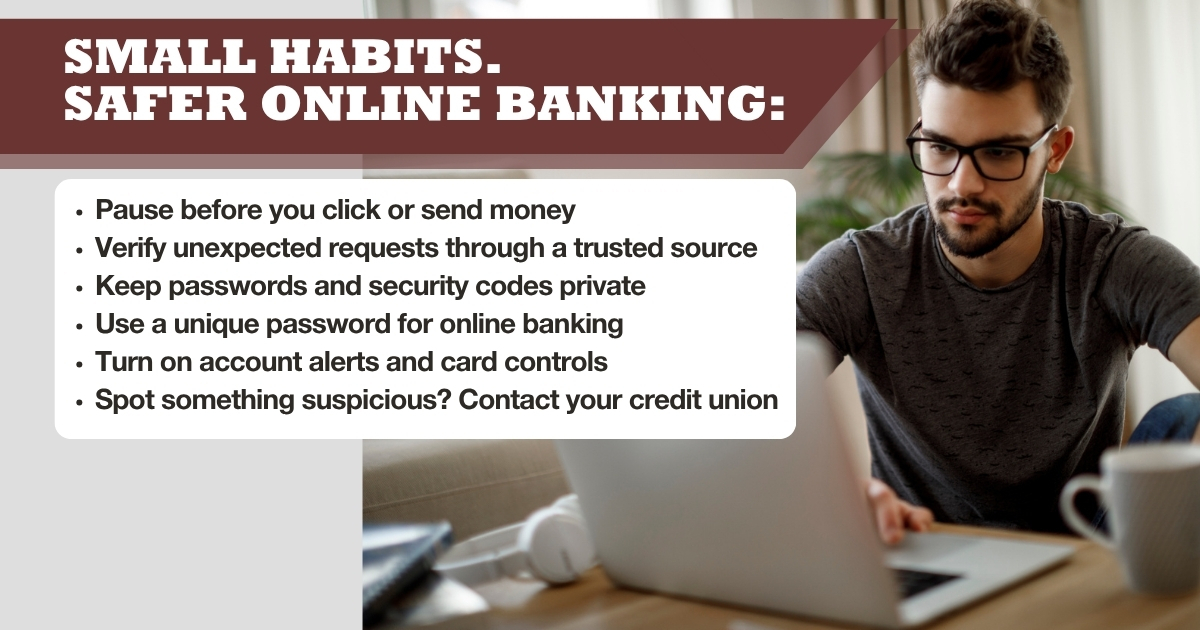
You don't have to change the way you use every app or become a cybersecurity expert to make your money safer. Start with a few manageable habits: double-check payment requests, use unique passwords, turn on account alerts, and take your time before sending money to someone new.
These cybersecurity tips for Gen Z can help you feel more comfortable managing your finances while staying connected to the people and services you rely on. As you get into the habit of checking details and questioning unexpected requests, you'll have a better idea of how to protect your money online without making everyday banking more difficult.
Want to feel more confident about your money?
Subscribe to the First Alliance blog for practical tips on budgeting, saving, banking, and protecting your finances from fraud.
